
Theme settings
Fonts & typography
Choose the font families and base type settings that suit your brand.
Set it up
- Open Typography and select the available font library.
- Choose the font families used by your layout.
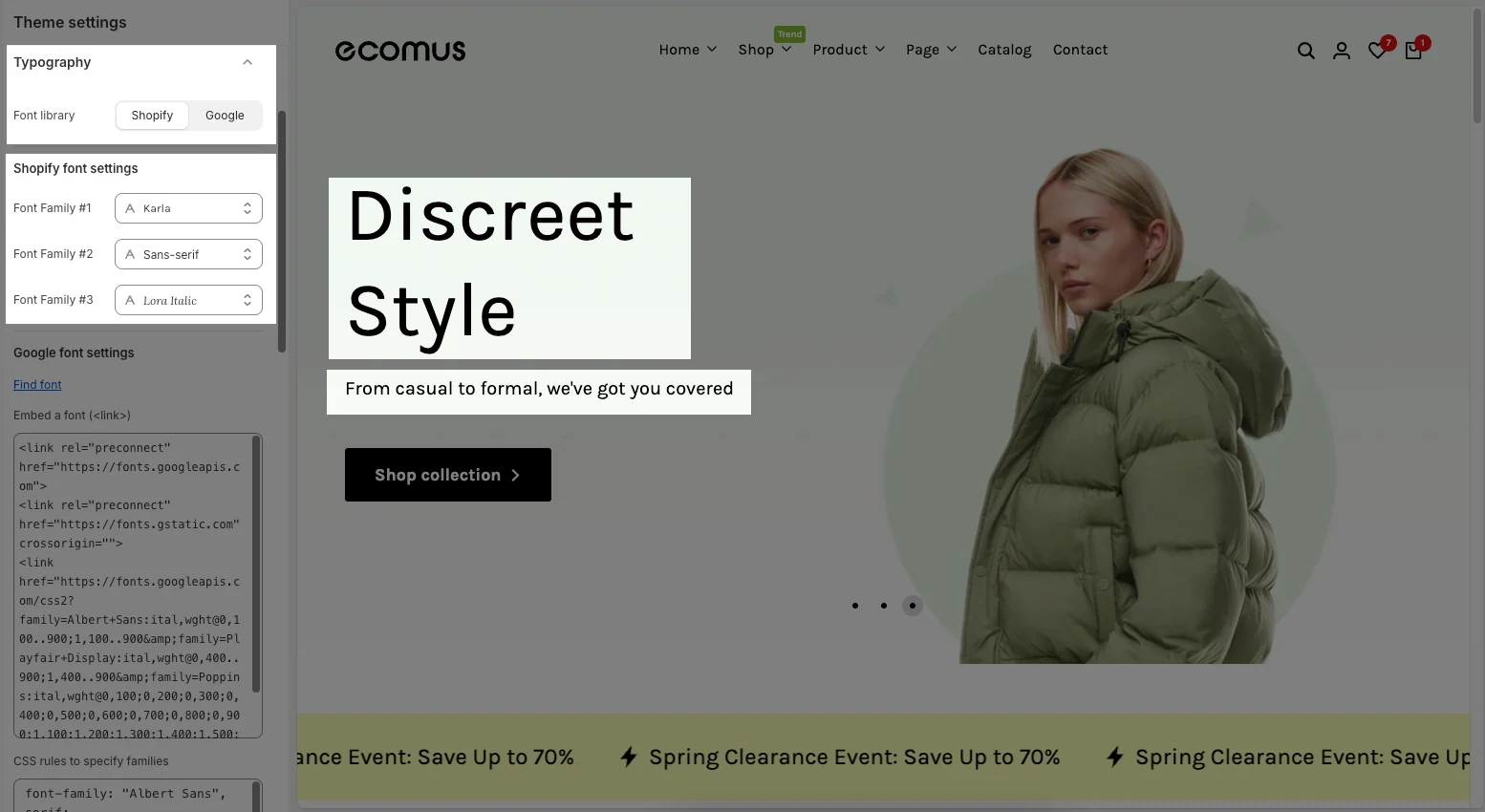
Reference 1. Choose the theme’s typography and fonts.The4 reference screenshot · Controls and branding may differ in your Zayra release. Select the image to view full size. - Set the available body text and font controls. Use Heading for heading-specific sizes.
- Save and compare a product title, long paragraph, button, and menu on desktop and mobile.
Check your storefront
- Test your supported languages for missing characters.
- Avoid loading unnecessary font families or weights.
Editor controls
Expand a group to see the controls in Zayra 5.4.3. Some options appear only after selecting a related mode or enabling a feature.
Theme settings / Typography23 controls
- Font library
- Options: Shopify · Google
- Font Family #1
- Choose an available font.
Shown when its related setting is enabled or selected.
- Font Family #2
- Choose an available font.
Shown when its related setting is enabled or selected.
- Font Family #3
- Choose an available font.
Shown when its related setting is enabled or selected.
- Embed a font ()
- Add reviewed HTML content for this area.
Shown when its related setting is enabled or selected.
- CSS rules to specify families
- Add reviewed Liquid content for this area.
Shown when its related setting is enabled or selected.
- Font Family #1
- Enter the text for this field.
Shown when its related setting is enabled or selected.
- Font Family #2
- Enter the text for this field.
Shown when its related setting is enabled or selected.
- Font Family #3
- Enter the text for this field.
Shown when its related setting is enabled or selected.
- Font Family #4 (Custom)
- Enter the text for this field.
- Font Family #5 (Custom)
- Enter the text for this field.
- Heading font family
- Options: Font Family #1 · Font Family #2 · Font Family #3 · Font Family #4 (Custom) · Font Family #5 (Custom)
- Font weight
- Choose a value from 100 to 900, in steps of 100.
- Font size scale
- Choose a value from 60 to 150 %, in steps of 1.
- Line height
- Choose a value from 0.8 to 2, in steps of 0.1.
- Letter spacing
- Choose a value from -8 to 32 %, in steps of 0.5.
- Sub-heading font family
- Options: Font Family #1 · Font Family #2 · Font Family #3 · Font Family #4 (Custom) · Font Family #5 (Custom)
- Body font family
- Options: Font Family #1 · Font Family #2 · Font Family #3 · Font Family #4 (Custom) · Font Family #5 (Custom)
- Font weight
- Choose a value from 100 to 900, in steps of 100.
- Base size (mobile)
- Choose a value from 11 to 20 px, in steps of 1.
- Base size (tablet and desktop)
- Choose a value from 11 to 20 px, in steps of 1.
- Line height
- Choose a value from 0.8 to 2, in steps of 0.1.
- Letter spacing
- Choose a value from -8 to 32 %, in steps of 0.5.
Need a hand with your store?
Contact Inspired Marketing