
Getting started
Install the theme
Upload the correct theme ZIP to Shopify and open an unpublished copy for customization.
Choose the right ZIP
Extract the download package first. Upload the installable theme ZIP supplied by Inspired Marketing, rather than a ZIP of the whole download. If you are packaging the source folder yourself, assets, blocks, config, layout, locales, sections, snippets, and templates must be at the ZIP root.
Set it up
- Open Online Store, then Themes in your Shopify admin.
- In the theme library, choose Add theme and Upload ZIP file. Select the installable Zayra ZIP and upload it.
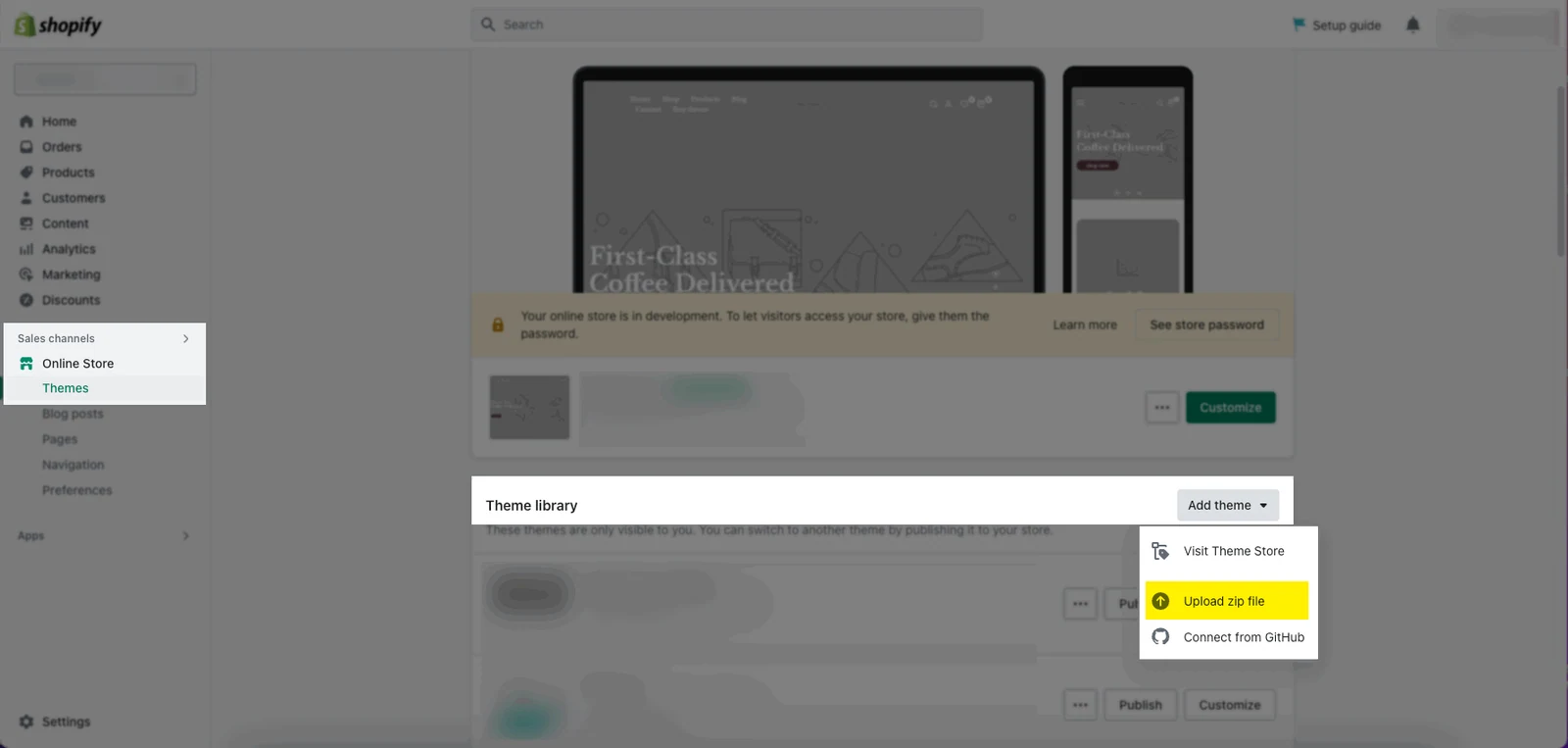
Reference 1. Choose Upload ZIP file in Shopify’s theme library.The4 reference screenshot · Controls and branding may differ in your Zayra release. Select the image to view full size. - Wait for Shopify to finish processing the upload, then open the theme editor for the new copy.
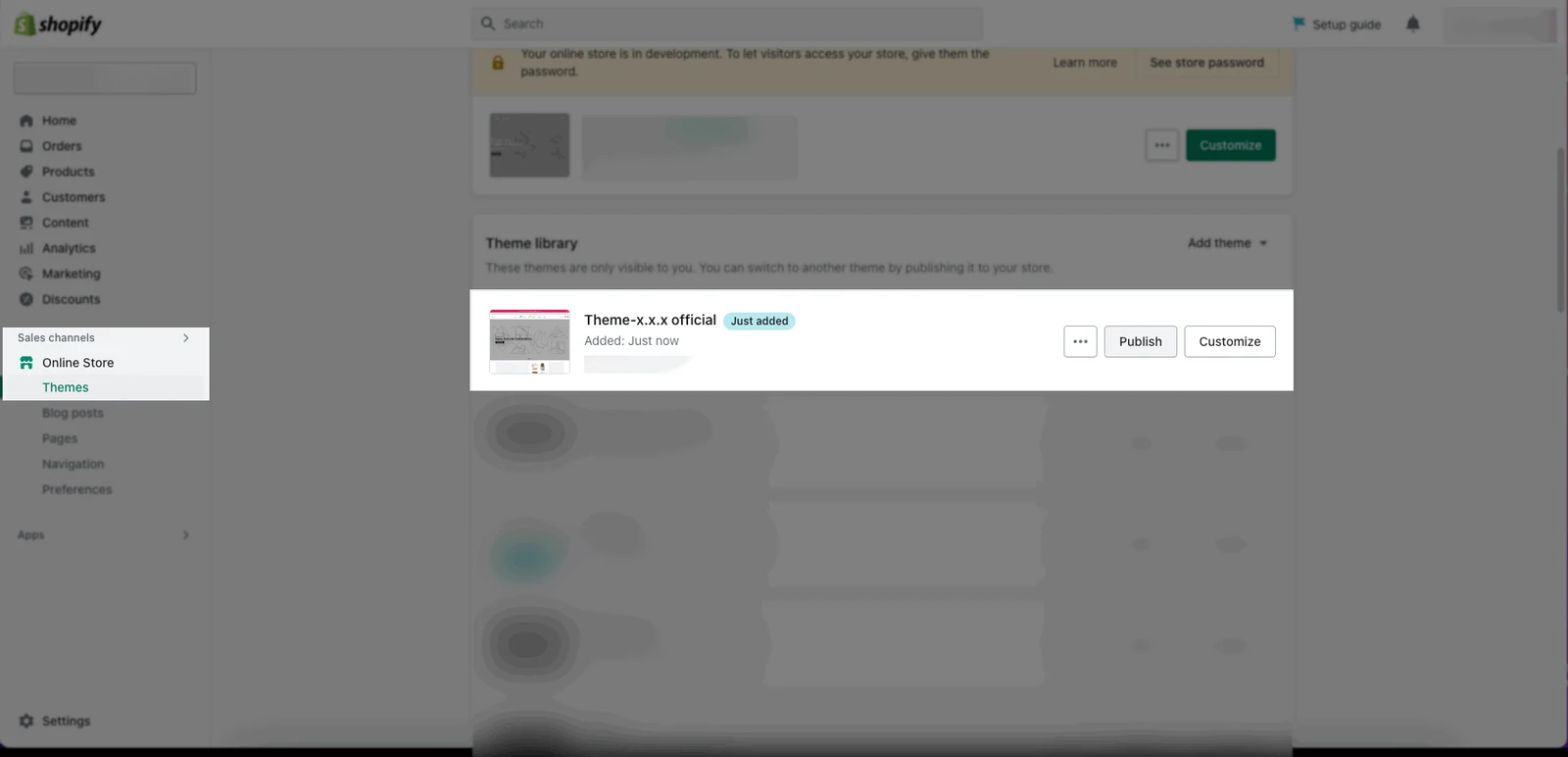
Reference 2. Open the uploaded theme in the theme editor.The4 reference screenshot · Controls and branding may differ in your Zayra release. Select the image to view full size. - Use Preview to inspect the storefront. Keep the new copy unpublished while setting up your store.
- Follow the activation and demo-import guides for your supplied release.
If something looks wrong
- A missing layout/theme.liquid error usually means you uploaded the outer download package or zipped an extra parent folder.
- A successful upload does not publish the theme. Confirm which theme is marked current before making live changes.
- If Shopify rejects the ZIP, send the error and package version to Inspired Marketing support.
Shopify guidance
Need a hand with your store?
Contact Inspired Marketing